Open Worship
Free, open-source church presentation software for worship lyrics.
✨ Features
| Feature | Description |
|---|---|
| 🎵 Song Library | Organize, search, and manage your worship songs |
| 📋 Service Schedules | Build setlists ahead of time or on-the-fly |
| 🖥️ Multi-Display | Project lyrics to any connected screen |
| 📺 NDI & OBS | Overlay lyrics on livestreams with transparency |
| 🔄 API Sync | Connect to external systems via REST API |
| ⌨️ Keyboard Shortcuts | Fast navigation during live services |
📸 Screenshots
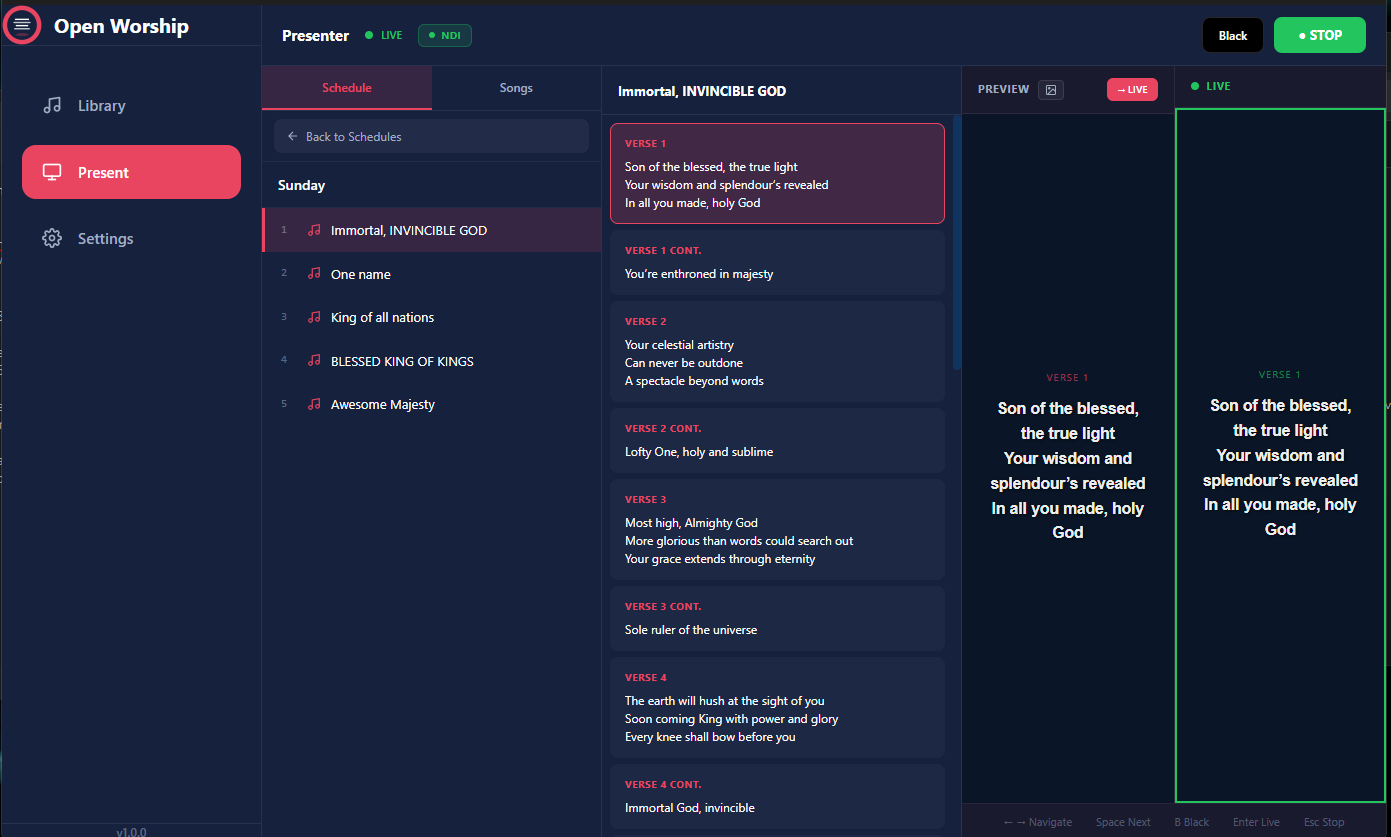
Presenter View
Control your service with real-time preview and live output.
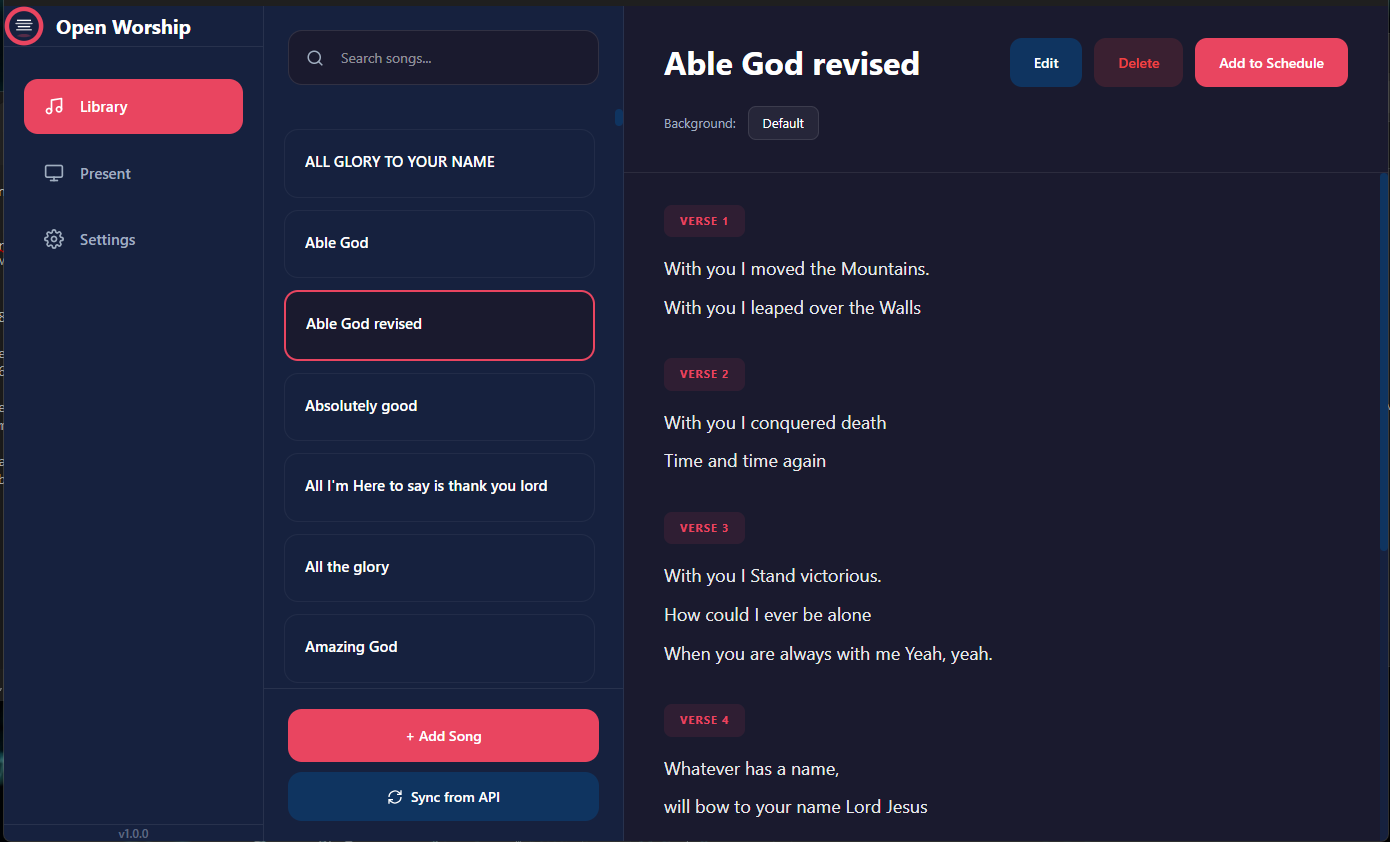
Song Library
Organize, search, and manage your worship song collection.
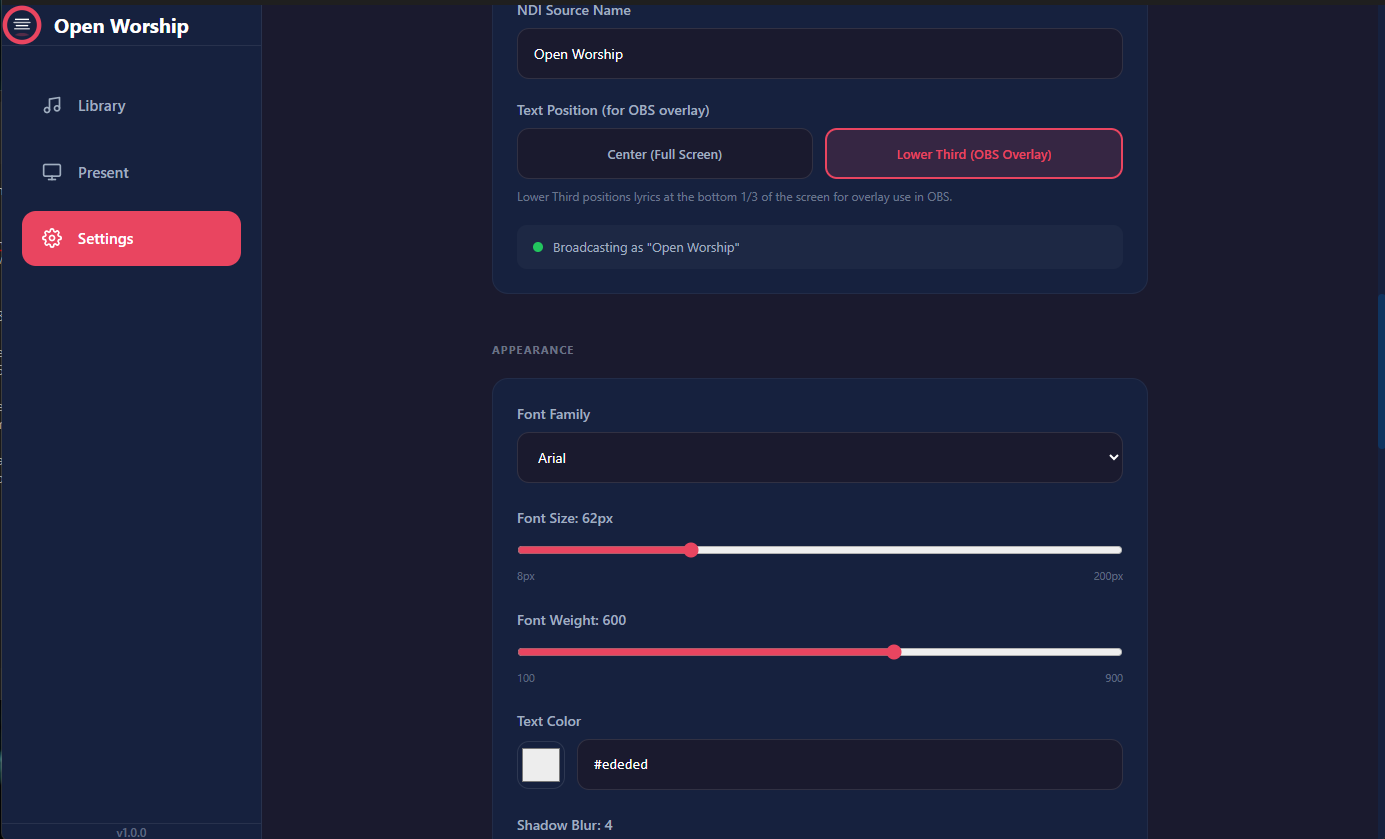
Settings
Customize fonts, colors, NDI output, and more.
🚀 Quick Start
1. Download
| Platform | Download |
|---|---|
| Windows | Open-Worship-Setup.exe |
| macOS | Open-Worship.dmg |
| Linux | Open-Worship.AppImage |
2. Add Songs
- Open the Library tab
- Click + Add Song
- Enter the title and lyrics
- Use markers like
[Verse 1],[Chorus],[Bridge]to organize sections
3. Build a Schedule
- Go to Present tab
- Click Back to Schedules
- Create a new schedule and add songs
4. Go Live
- Select a song from your schedule
- Click a verse to preview it
- Press Enter or click → LIVE to send to output
- Use Space or arrow keys to navigate
📖 Documentation
- Getting Started — Installation and first launch
- User Guide — Complete feature guide
- NDI & OBS Setup — Livestream integration
- Keyboard Shortcuts — Quick reference
- FAQ — Common questions
💻 For Developers
Tech Stack
| Component | Technology |
|---|---|
| Desktop | Electron + React + TypeScript |
| Backend | Django + REST Framework |
| Database | SQLite |
| NDI | koffi bindings |
Build from Source
git clone https://github.com/inno8/open-worship.git
cd open-worship/desktop
npm install
npm run dev
See the GitHub repository for full build instructions.
📄 License
MIT License — free for personal and commercial use.